
Data-Level vs. UI-Level Caching in Next.js
This article is part of a series on Next.js Cache Components. See all articles: Cache Components in Next.js · Data-Level vs. UI-Level Caching · How Revalidation Works with "use cache" · Migrating to Cache Components
The "use cache" directive in Next.js can go in two places: on a data function or on a React component. The choice matters more than it looks at first glance, because it determines what gets cached, how granularly you can invalidate, and how much you are able to save on infrastructure.
Data-level: cache the function
Data-level caching means putting "use cache" on the function that fetches or computes data. The function's return value gets cached, and every component that calls it benefits from the same cache entry.
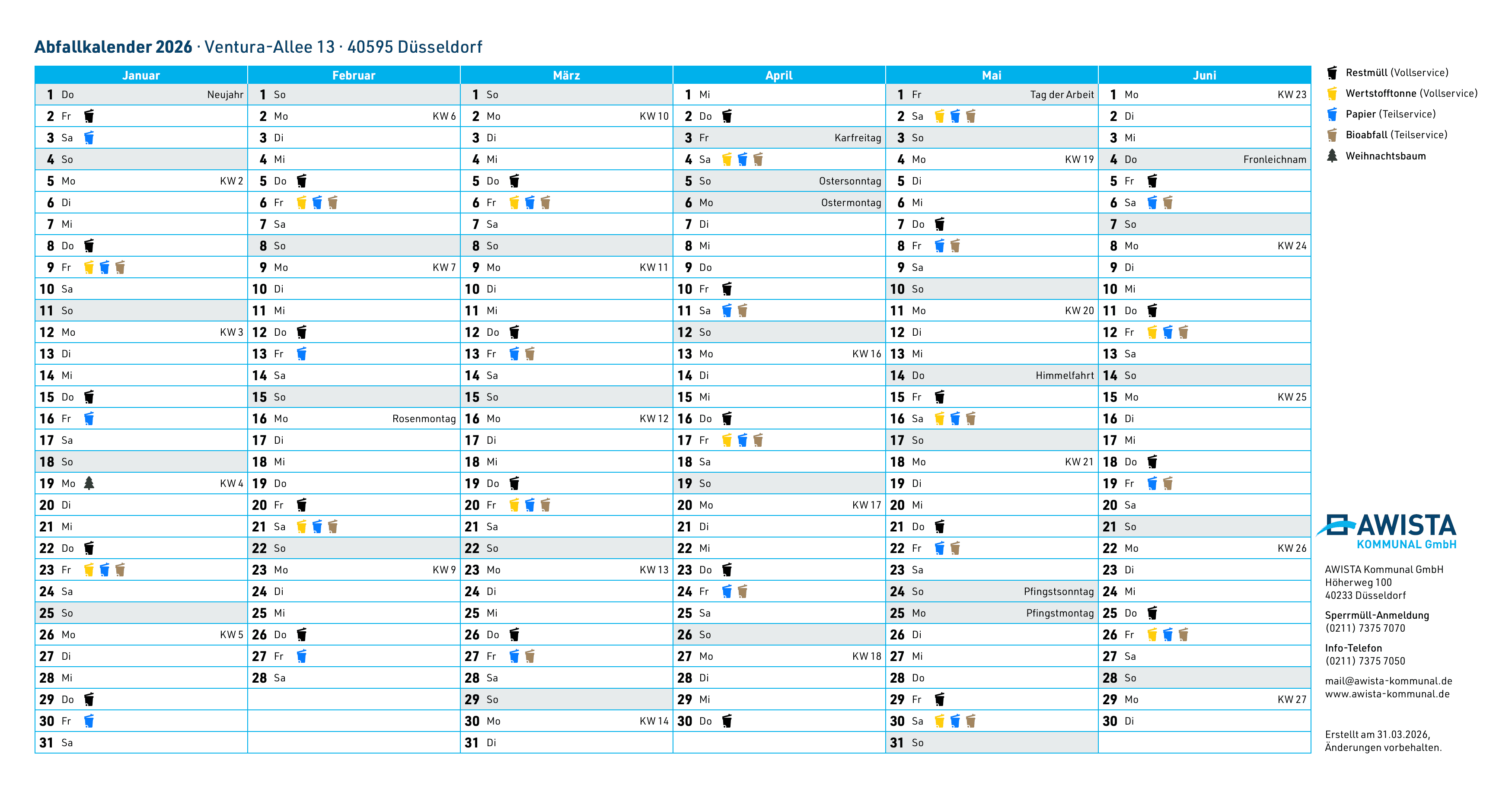
One of our projects where this makes a real difference is awista-kommunal.de, the waste management portal for the city of Düsseldorf. The site has a waste calendar that shows collection dates for tens of thousands of addresses. The same data serves both the website and a mobile app through a Next.js GraphQL backend.
import { cacheTag, cacheLife } from 'next/cache'

export async function getCollectionDates(addressId: string) {
  'use cache'
  cacheTag(`address-${addressId}`)
  cacheLife('weeks')
  return db.collectionDates.findMany({
    where: { addressId },
    orderBy: { date: 'asc' },
  })
}
With data-level caching, the database query for a given address runs once and the result is reused across the website, the mobile app, and any other consumer of that function. Our database averages 0.03 CPUs in normal operation. It scales down because it barely gets hit, the cache absorbs the load. For a business, that's the simplest argument for caching: it directly reduces infrastructure cost.
Data-level caching also gives you fine-grained invalidation. Each street gets its own cache tag (address-${addressId}), so when collection dates change for one address, only that cache entry gets invalidated. The rest stays warm.
UI-level: cache the component
UI-level caching means putting "use cache" on a React component or an entire page. The rendered output, including all the data fetching and JSX, gets cached as a single unit.
import { cacheLife } from 'next/cache'

export default async function HomePage() {
  'use cache'
  cacheLife('hours')

  const featured = await getFeaturedProducts()
  const categories = await getCategories()

  return (
    <main>
      <FeaturedBanner products={featured} />
      <CategoryGrid categories={categories} />
    </main>
  )
}
This is simpler to set up because you don't need to think about which data functions to cache individually. The entire page render is one cache entry. But the tradeoff is granularity: if any piece of data on the page changes, the entire cached output needs to be regenerated. You can't invalidate just the featured products without also regenerating the category grid.
UI-level caching works well for pages where all the content has a similar update frequency and you want the entire page to load instantly. Marketing pages, documentation, landing pages.
The third option: don't cache at all
Not everything should be cached. Components that need fresh data on every request, like a user's dashboard, a live feed, or anything that depends on cookies or headers, should be wrapped in <Suspense> instead.
import { Suspense } from 'react'
import { cookies } from 'next/headers'

async function UserStats() {
  const session = (await cookies()).get('session')?.value
  const stats = await getUserStats(session)
  return <StatsGrid stats={stats} />
}

export default function DashboardPage() {
  return (
    <>
      <h1>Dashboard</h1>
      <Suspense fallback={<StatsGridSkeleton />}>
        <UserStats />
      </Suspense>
    </>
  )
}
At build time, Next.js renders the fallback skeleton into the static shell. At request time, the actual content streams in once the data resolves. The user sees the page structure immediately while the dynamic parts load.
Combining all three: Partial Prerendering
The real power of Cache Components shows when you combine all three approaches on a single page. This is what Partial Prerendering (PPR) looks like in practice:
import { Suspense } from 'react'
import { cookies } from 'next/headers'
import { cacheTag, cacheLife } from 'next/cache'

export default async function ProductPage({
  params
}: {
  params: Promise<{ id: string }>
}) {
  const { id } = await params

  return (
    <div>
      {/* Cached: same for everyone */}
      <ProductDetails id={id} />

      {/* Streamed: personalized per user */}
      <Suspense fallback={<RecommendationsSkeleton />}>
        <Recommendations productId={id} />
      </Suspense>
    </div>
  )
}

// Data-level cache: shared across all visitors
async function getProduct(id: string) {
  'use cache'
  cacheTag(`product-${id}`)
  cacheLife('days')
  return db.products.findUnique({ where: { id } })
}

async function ProductDetails({ id }: { id: string }) {
  const product = await getProduct(id)
  return <div>{/* ... */}</div>
}

// No cache: fresh per request, uses cookies
async function Recommendations({ productId }: { productId: string }) {
  const session = (await cookies()).get('session')?.value
  const recs = await getPersonalizedRecs(productId, session)
  return <div>{/* ... */}</div>
}
The product details are cached and identical for every visitor. The recommendations stream in at request time because they depend on who's looking. Next.js generates a static shell with the product details baked in and a Suspense fallback where the recommendations will appear.
Per-user caching with "use cache: private"
Sometimes the Suspense approach isn't ideal for personalized content. If the recommendations for a given session don't change on every page load, you're re-fetching data that could be cached.
"use cache: private" (experimental) solves this. It creates a per-client (browser) cache that can access cookies() and headers() inside the cached scope. The cache key includes the request context, so different users get different cache entries.
import { cacheLife, cacheTag } from 'next/cache'
import { cookies } from 'next/headers'

export async function getPersonalizedRecs(productId: string) {
  'use cache: private'
  cacheTag(`recs-${productId}`)
  cacheLife({ stale: 60 })

  const session = (await cookies()).get('session')?.value || 'guest'
  return fetchRecommendations(productId, session)
}
A classic e-commerce scenario: the shopping cart content, browsing history, or personalized product recommendations. The data varies per user but doesn't change between page loads within the same session. Caching it per-client avoids redundant API calls while keeping the content personalized.
Remote caching with "use cache: remote"
The default "use cache" stores entries in the server's memory or file system. In serverless environments, that in-memory cache isn't shared between instances. Cache misses can add up if your upstream data source is slow or rate-limited.
"use cache: remote" stores entries in a remote cache handler like Redis or a KV store. The entries are durable, shared across all server instances, and survive restarts. The tradeoff is an additional network roundtrip for every cache lookup and typically platform fees for the storage.
When it makes sense: your CMS API has a 100ms response time and a rate limit, your product catalog is queried by hundreds of serverless instances, or your database is the bottleneck and you want a shared cache layer in front of it.
When it doesn't: if your data functions are already fast (<50ms), the remote cache lookup might be slower than just calling the source directly. The Next.js docs have detailed guidance on when to use and when to avoid "use cache: remote".
Which level to choose
For most applications, start with data-level caching at the function where you fetch data. It's more granular, reusable across routes and consumers, and gives you precise invalidation per entity. Add UI-level caching for pages where the entire output can be treated as one unit. Use a low cacheLife profile if you don't yet have revalidation strategies in place.
The AWISTA waste calendar is a good example. The same collection date data powers many different views (list view, month view, a printable PDF version ...). With data-level caching on getCollectionDates(), all views share the same cache entry. Caching at the page level would mean separate cache entries for each view, even though they display the same underlying data.